Count the Kicks
- 4.2
- Rating
- 100.00K
- Installs
- Free
- Price
 Analysis by App-foxy
Pregnancy apps often try to do everything at once: appointments, nutrition, symptoms, exercise, contractions, and weekly updates. Count the Kicks takes a narrower route, and that is its main strength. It is a medical app from Healthy Birth Day, Inc. focused on helping expectant mothers track fetal movement during the third trimester. After using it, my view is simple: it works best as a calm, repeatable kick-counting tool, not as a complete pregnancy companion or a substitute for professional medical advice.
The idea is straightforward, but the practical value comes from making an easily forgotten routine more visible. Instead of relying on memory or trying to decide whether a movement “feels normal,” I can open the app, begin a session, and record movements in one place. That small separation from ordinary pregnancy journaling matters. A general notes app can store observations, but it does not keep the purpose of those observations in focus.
Why the focused design is useful
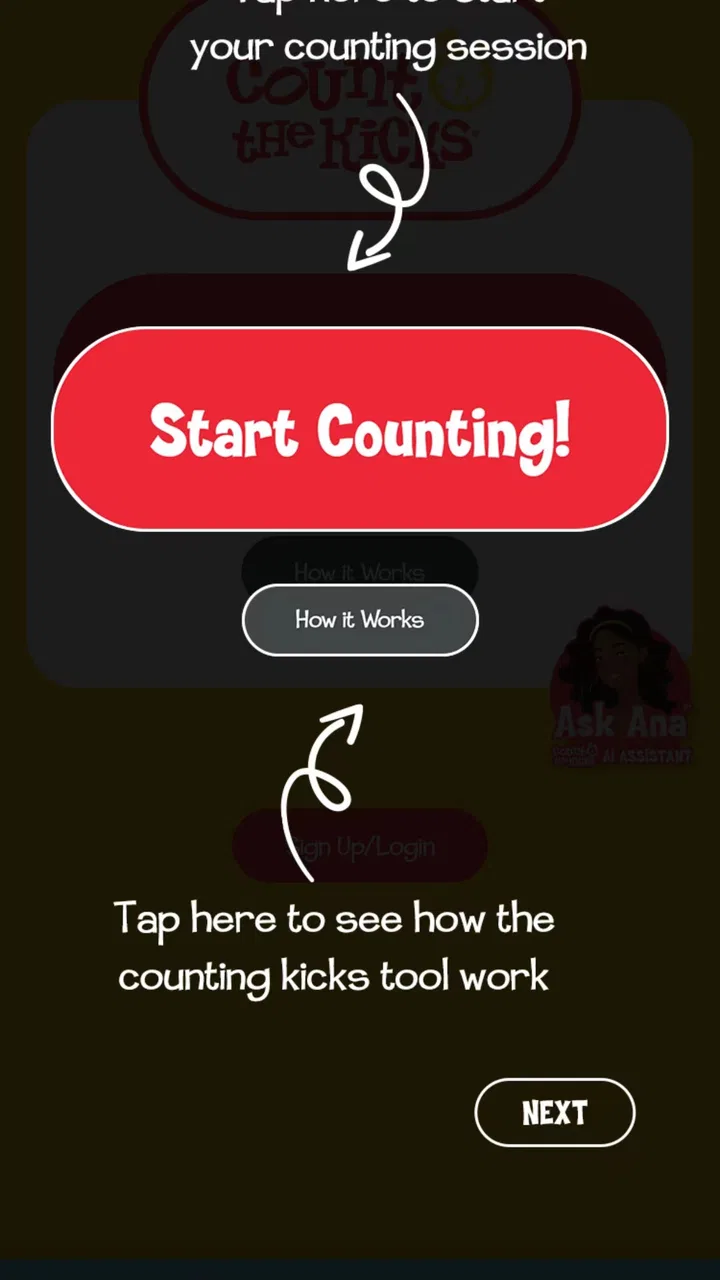
The app’s store summary presents kick counting as something important and easy, and that description is closer to the experience than a long feature list would be. The interface is built around the act of counting rather than surrounding it with unrelated content. For someone in the third trimester who wants a dedicated place for movement tracking, that focus makes the routine easier to remember and less likely to disappear among other pregnancy notes.
You May Also Like

 Blood Strike: 2.5 Anniversary
Blood Strike’s Loadouts Turn Every Drop Into a Tactical Gamble
A close look at Blood Strike’s custom loadouts: how fast access to signature weapons reshapes its battle royale rhythm, rewards preparation, and narrows the gap between fights.

 Pandora - Music & Podcasts
Pandora’s Music Is Easy to Start, but Harder to Recover
Pandora’s strength is its low-effort path from a seed to a station. Its weak spot is how much confidence it asks you to place in connection, setup, and quiet recovery.

 8 Ball Pool
 Is Built on Rivalries, Rematches, and Routine
A close look at the rivalries, rematches, shared routines, and unanswered safety questions that turn a quick pool match into a persistent mobile community.

 Samsung Music
’s Quiet Strength Is Playing What You Already Own
Its reach comes less from spectacle than from dependable access to a personal library. That simplicity is both the app’s strongest retention engine and its ceiling.

 AccuWeather: Weather Radar
AccuWeather Review: A Quick, Clear Forecast for Everyday Decisions
For everyday plans, the best forecast is the one you can understand quickly. AccuWeather makes rain timing, radar, and local conditions easy to act on, with a few trade-offs.

 Hill Climb Racing
Why Hill Climb Racing Still Turns Crashes Into One More Run
A tiny car, a bumpy hill and one more upgrade: Hill Climb Racing keeps resurfacing because its simple chaos makes every near-miss feel personal.
More From Our News Desk
View All News


I especially like the difference between recording a movement session and simply writing “baby moved normally” in a diary. A written note is vague and difficult to compare later. A dedicated counter encourages me to observe the session itself, finish it, and return to the record when I want to notice a pattern. That creates a more useful history without requiring me to become an expert in medical charting.
There is also a psychological benefit to a defined task. Pregnancy can produce a steady stream of questions, and movement is one of the areas where people may become anxious quickly. A focused counter gives me a concrete activity instead of encouraging repeated checking throughout the day. I can choose a consistent time when the baby is usually active, settle down, and treat the session as an observation rather than a constant source of worry.
That consistency is more important than speed. A useful workflow is to keep the phone nearby during a quiet part of the day, begin counting when I am unlikely to be interrupted, and avoid switching between several pregnancy apps during the same session. The app becomes more valuable when it supports a habit rather than being opened only after concern has already started.
One practical insight is that the app should be treated as a record of a personal pattern, not a universal pass-or-fail test. Babies have individual rhythms, and activity can feel different depending on posture, time of day, and how distracted I am. Count the Kicks can help me notice changes in my own observations, but it cannot interpret every change or tell me what a healthcare professional would conclude. That distinction keeps the tool useful without giving it more authority than it has.
The app is free, which removes an obvious barrier for someone who wants a dedicated counter without committing to a paid pregnancy subscription. It is also listed for everyone in terms of content age, an appropriate fit for a pregnancy-health tool rather than an entertainment product. Its medical category sets the right expectation: this is meant to support a health routine, not to provide a stream of lifestyle content.
Healthy Birth Day, Inc. is the developer behind the app, and the product’s narrow purpose gives it a clearer identity than broad pregnancy platforms. I do not have to sort through unrelated articles or shopping prompts before reaching the tracking task. For a user who already has another app for appointments and weekly development information, that separation can be an advantage rather than a limitation.
A realistic everyday routine
Imagine finishing dinner, putting the phone on a nearby table, and taking a few uninterrupted minutes to pay attention to movement. With Count the Kicks open, I can record each movement as it happens instead of trying to remember the sequence afterward. If the evening becomes busy, I can return to the app later and see that the session was started rather than relying on a half-remembered note in a messaging app.
That scenario also shows why the app is not simply a button counter. The real benefit is the combination of attention, repetition, and a place to look back. A partner could remind the user to complete the routine, but the person carrying the baby remains the one interpreting what is felt. The app can support that shared routine without pretending that another person can verify the movements.
A second useful workflow is preparing for a conversation with a midwife or doctor. Rather than saying only that movement has “seemed different,” I can review my recent observations and describe the change more clearly. The app does not replace that conversation, but a consistent record may make it easier to explain what I noticed and when. I would still contact a healthcare professional promptly if movement seems reduced or unusual, rather than waiting for an app session to resolve the concern.
That is one of the most important boundaries to understand. This app is a tracking aid, not an emergency service, diagnostic system, or medical decision-maker. If I am worried about fetal movement, I should follow the advice of my healthcare provider and local medical services. The presence of a recorded session should never reassure me into ignoring a concern, and an incomplete session should not automatically be treated as a medical result.
Where the focused approach falls short
The same simplicity that makes the app approachable can feel limiting for users who want a complete pregnancy dashboard. Someone looking for appointment management, medication reminders, symptom logging, nutrition planning, contraction timing, or detailed educational material may need several other tools. Count the Kicks is not a replacement for all of those functions, and adding it to an existing pregnancy setup may feel like maintaining one more routine.
It also depends on the user being able to pause and pay attention. That sounds minor, but real life is not always cooperative. Work shifts, childcare, travel, discomfort, and an unpredictable daily schedule can make consistent sessions difficult. A dedicated tracker cannot solve the problem of a routine that does not fit the user’s life. I found that choosing a repeatable quiet period matters more than opening the app at a supposedly perfect time.
Another limitation is the risk of overchecking. A person who is already anxious may open the app repeatedly, compare sessions too rigidly, or treat every variation as a warning. The app’s purpose is better served by a planned observation habit than by compulsive monitoring. In that situation, guidance from a healthcare professional is more valuable than adding more screen time or more tracking.
There is also a learning curve in deciding how to incorporate the app into existing medical advice. Different pregnancies and different providers may involve different instructions. I would not assume that the app’s workflow should override a clinician’s recommendation about when or how to monitor movement. The best approach is to use the app as the place where I follow an agreed routine, not as the source of that routine.
Compared with a paper chart, the app is more convenient to carry and less likely to be misplaced, but paper may be preferable for someone who wants no phone involvement during a quiet health check. Compared with a general notes app, Count the Kicks offers a clearer purpose and less manual formatting, while the notes app may be more flexible for adding symptoms or questions. Compared with an all-in-one pregnancy app, this one is less comprehensive but also less cluttered.
That trade-off makes the choice fairly clear. If I want one application to organize nearly every part of pregnancy, I would look elsewhere and perhaps use this only for movement tracking. If I already have a broad pregnancy app and find its kick-counting feature buried among other screens, Count the Kicks may be the better specialist tool. It is not automatically better for everyone; it is better when focus is the priority.
Who will get the most from it
I would recommend it most strongly to expectant mothers in the third trimester who want a simple, dedicated way to build a movement-counting habit. It is also a sensible choice for someone who tends to forget health routines, because opening a purpose-built counter is more direct than creating a new note every day. The free price makes experimenting with that routine easy, especially when the user does not want another subscription.
It can also suit people who prefer a low-distraction tool. The app is not trying to be a social network, a shopping guide, or a full pregnancy encyclopedia. If I already know where to get medical guidance and only need help recording movement observations, its narrow scope feels respectful of my time.
On the other hand, I would not make it the first choice for someone who wants detailed medical explanations inside the same app, a broad pregnancy calendar, or a single place for every appointment and symptom. I would also be cautious about recommending it as a reassurance tool to someone experiencing acute anxiety. Tracking can support a conversation with a clinician, but it should not become a substitute for calling one.
Parents and partners may find it useful as a reminder to support the routine, but the app is not designed to let someone else take over the observation. The person using it needs to be comfortable noticing and recording movement. If touch, vision, concentration, or phone access makes that difficult, an alternative arrangement discussed with a healthcare provider may be more appropriate than forcing the app into the routine.
What the current release tells me
The current version is 7.9.11, and the app supports devices using Android 7.0 or newer. That makes device compatibility worth checking before installation, particularly if the phone is older or has been kept on an earlier operating system. The app has been available since April 1, 2014, so it is not a newly launched experiment; it has had time to establish a clear identity around fetal-movement tracking.
Its audience is also visible in its reach. The app has passed 100K installs, with an average rating of 4.2 from around 961 ratings and 331 written reviews. I would read those figures as evidence that many people find the concept useful, while still remembering that ratings cannot tell me whether the workflow fits my own routine. A medical tracking app can be well received and still be the wrong match for someone who needs broader tools or more clinical guidance.
When deciding whether to keep it, I would judge it after several ordinary attempts rather than after one quick opening. Can I start a session without confusion? Does the routine fit naturally into my day? Can I look back at observations without becoming more anxious? Those questions are more meaningful than whether the app feels impressive during the first minute.
My final view
Count the Kicks succeeds because it does not disguise its central job. It gives third-trimester movement tracking a dedicated home and encourages a repeatable habit without asking the user to manage an entire pregnancy information system. In my experience, that focused design is its strongest evidence of good judgment.
Its weakness is equally clear: it cannot carry the full responsibility of pregnancy monitoring. It will not replace a clinician, emergency advice, a broader pregnancy organizer, or personal judgment about a worrying change. Users need to bring those parts themselves and use the app within medical guidance.
My recommendation is to use Count the Kicks as a focused companion, not as a complete medical solution. If you want a free, straightforward way to pay attention to fetal movement and keep a consistent record, it is worth trying. If you want one polished app for every pregnancy task, or if tracking tends to increase your anxiety, another approach may serve you better. For the right user, Count the Kicks turns an important routine into something easier to remember, repeat, and discuss when professional advice is needed.
FAQs for Count the Kicks
01What is the main purpose of the Count the Kicks app?
The Count the Kicks app is designed to help expectant parents monitor their baby's movements during pregnancy. By tracking the frequency and patterns of kicks, parents can become more aware of their baby's health and well-being. This monitoring can help detect potential issues early, prompting timely medical consultations.
02How do I use the Count the Kicks app effectively?
To use the app effectively, you should set aside time each day to monitor your baby's movements. Simply record each kick, roll, or jab you feel, and the app will log this data. Over time, the app provides insights into your baby’s movement patterns, helping you spot any significant changes that may require medical attention.
03Is the Count the Kicks app suitable for all stages of pregnancy?
While the app is most beneficial in the third trimester, when a baby's movements are more pronounced, it can be used throughout pregnancy to familiarize yourself with your baby's activity patterns. Monitoring becomes more crucial as you approach the due date, making the app an essential tool in the later stages of pregnancy.
04What features does the Count the Kicks app include?
The app includes features such as daily kick session tracking, historical data storage, and easy-to-read graphs that illustrate movement patterns over time. It also offers customizable reminders to ensure you regularly check in on your baby’s movements. Additionally, it provides educational resources to help users understand the significance of fetal movements.
05Is the Count the Kicks app free to use and available on both iOS and Android?
Yes, the Count the Kicks app is free to download and use on both iOS and Android devices. It provides all its core functionalities at no cost, ensuring that expectant parents can easily access this valuable tool for monitoring their baby's health without any financial burden.
Pros
- User-friendly interface for easy navigation.
- Customizable reminders for tracking kicks.
- Supports multiple languages for accessibility.
- Includes educational resources for expectant mothers.
- Free to download with no in-app purchases.
Cons
- Limited features beyond kick counting.
- Requires manual data entry for tracking.
- No integration with other health apps.
- Lacks visual or audio customization options.
- Ads may be distracting for some users.

Count the Kicks
Gallery